Automation · 2025–2026
Eagle Web
Design, check and order a custom door frame in the browser
A 3D door-frame configurator that runs a Grasshopper definition in the browser. Customization possible for more than 150 parameters, see the frame update live, and order. An order summary PDF and CSV are generated automatically.
- Context
- Avalon International Aluminum
- Role
- Computational designer
- Year
- 2025–2026
- Stack
- Frame types
- 9
- Parameters
- 150+
- Avg orders / day
- 2
Client work under NDA. Shown as system diagrams drawn for this site; no client data.
The problem
A custom aluminum door frame hides around 150 decisions: frame type, trim, wall, corner, finish, glazing, door species and veneer, fire label, hardware and acoustic rating. None of the orders were collected in a systematic process and details were getting lost in translation.
The system
One Grasshopper definition runs in the browser through Rhino.Compute. Each choice rebuilds the 3D frame live and checks it against the product rules. When the design is done, the same definition generates an order summary and writes the order data in a csv format.
Configurator
Choose
- Frame + trimType, wall, corner
- Finish + glazingAnodised, powder, single, double
- DoorSpecies, veneer, fire label, hardware
Compute
- Grasshopper definitionRules + geometry, in the browser via ModelUp3D (Rhino.Compute)
See
- Live 3D frameUpdates with every change
Output
- Customer Order Summary (PDF)
- Project Data (CSV)
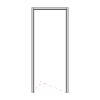
Type 01
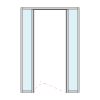
Type 02
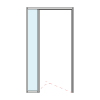
Type 03
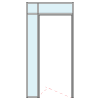
Type 04
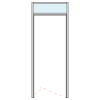
Type 05
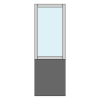
Type 06

Type 07

Type 08
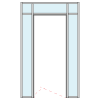
Type 09

Clear anodised
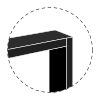
Black

Bronze

Grey
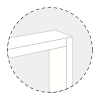
White

Champagne

Custom powder

Custom anodised

Corner 01

Corner 02
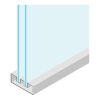
Double glazing
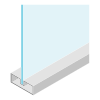
Single glazing

African mahogany

Beech

Birch

Maple

Red oak

Walnut

White oak
The loop
An order fires a webhook into n8n. It generates the order summary, writes the order CSV and stores it into a database. An automated email is sent to the customer and project team simultaneously with their respective attachments. The CSV drops straight into the estimating schedule, so nobody retypes an order.
Order workflow
Trigger
- Order webhookPOST from the configurator
- AcknowledgeRespond to webhook
Draw
- Order Summary
Store
- PDF → Database
- Generate CSVOrder data
- CSV → Database
Notify
- EmailCustomer + project team, with attachments